'LIKE' US

Your support means a lot to us. So if you like our posts and wish to keep reading articles on Control Your Mac, we request you to follow us on our Facebook and Twitter pages.

Showing posts with label iPod. Show all posts

How to Use Airdrop on iPhone / iPad


AirDrop has been a feature of Mac OS X for a few years now and in iOS 7, Apple decided to add AirDrop to iPhone and iPad too. Unfortunately, this does not mean that you can share files between an iPhone and a Mac. Only between two iOS Device (iPhone to iPhone, iPhone to iPad, iPad to iPod, etc)

On the plus side, AirDrop works extremely well on iOS and transfer images takes a fraction of the time it would take through iMessage. What's the catch? Well, for one thing, the devices have to be in close proximity to one other. Not necessarily side by side, but it'll definitely work better if they're in the same room.

So here's how you use AirDrop:

Enabling AirDrop:


1. Grab two iPhones (or any iOS Devices) and make sure they're near one another.
2. To enable AirDrop on the devices, swipe up from the bottom of the screen, choose AirDrop and select 'Everyone')

Sharing with AirDrop:

1. Touch the share button. (the little rectangle with an arrow coming out of it). Wait for a few seconds till the other user's image and name appear on the share sheet. The other user's device must be unlocked and AirDrop must be enabled on both devices.

2. Select all files to transfer and tap the other user's name.


3. The receiver will be asked to accept or decline the transfer. Choose accept and voila.


You can also AirDrop notes, videos and a bunch of other things between iOS Devices.
For an alternative to AirDrop, see Bump.

iOS App Updates: BBM and iBooks

The latest app updates include a complete redesign of the Remote and iBooks apps by Apple to keep in sync with the iOS 7 design and also an update to BBM which now allows non-cellular enabled devices (iPad, iPod) to use BBM. But there's a catch.

Blackberry Messenger (BBM)


A new version of the BlackBerry Messenger (BBM) app has been released which brings support to iPod and iPad. Previously, BlackBerry had initially stated that the app would not be supported on iPod and / or iPad but it seems to have changed it's mind in the latest update. Other than a few minor changes, the BBM retains its overall look and feel.

What's new in BBM Version 1.0.4.133


- Support for iPod and iPad

- Invite BBM contacts to BBM Groups by Email
- 'Tell your friends’ feature helps you connect with friends on BBM
- Quickly share your BBM PIN and PIN barcode to your social networks
- Fixes an issue where some users would be missing BBM Contact names
- Resolves some issues experienced in right to left language support
- Bug fixes and performance improvements

Download it here

Note that this is not a new iPad app, merely an update to the existing iPhone app. So on the iPad, it still works in pixel-doubled (2x) mode. Also, despite the BBM app update, BlackBerry has decided to maintain its position on multiple device support. Which means that you can use BBM on your iPad only if you're not currently using it on your iPhone or iPod Touch. Or you have multiple BlackBerry IDs: one for each device. Doesn't seem like a great idea on BlackBerry's part considering the trends in cloud enabled software. Particularly since iMessage does support multiple devices, including Mac.


iBooks


Apple has redesigned iBooks to maintain the homogenous iOS 7 looks across Apple apps. As expected, the real-object mimicking Bookshelves have disappeared and have been replaced by a Newsstand-like look. As far as I can tell, the app also seems to be a quite a bit faster than the old app. Apple has, however, left traces of skeuomorphism in the app such as the page-turning effect in Books that we all know so well. All in all, the update redesigns iBooks rather well, making for a visually pleasing app with a great new icon.


What's new in iBooks version 3.2

-iBooks has been updated with a beautiful new design for iOS 7.

Download it here


Google Search App for iOS Gets Even Better.

Google Search App for iOS - Screenshots (Click to Enlarge)
Handsfree mode, notifications, reminders and new cards. Yep, the Google Search App for iOS (my second favorite Google App after Google Maps) just got even better with their new update. Here's a video by Google that explains it a little better.


Follow Us

Follow Us on Twitter: twitter.com/controlyourmac
and on Facebook: facebook.com/controlyourmac

Setting Up iCloud

iCloud

Why iCloud ?

Why iCloud, you ask? Because it's awesome (not very radical but still awesome). iCloud keeps all  (well, most) of your data in sync between your iPad, iPhone, iPod and Mac. Create a new note on your iPad and see it on your Mac a few seconds later. Create a calendar event on your Mac and check it on your iPhone when you're on the go. iCloud keeps your Notes, Contacts, Calendars, Mail, Safari Bookmarks & Reading List, Pages Documents, Keynote Presentations, Numbers Files and even your Messages constantly in sync. iCloud even lets you keep Photo Streams so that any photo you take from your iPhone, iPod or iPad will automatically sync to all your devices. The possibilities are really endless. Let me give you a few examples of it's usefulness:

When you add something to your Reading List on your Mac, you probably want to 'read it later'. So you can read articles from your Mac reading list on your iPhone / iPad even when you're not at home. Similarly it also syncs bookmarks and even shows you which tabs are open on your other devices at any given time.

Another great example is Messages. You receive an iMessage on your phone number, right ? But with iCloud, even if someone sends you an iMessage on your phone number, you receive it on your Mac, iPhone and iPad at the same time and you can reply from any of these devices.

iCloud.com
iCloud also backs up all your contact, calendars, notes, iWork documents, etc on iCloud.com so that you can access them at any time from any device (including a PC!).

How to Set Up ?

The best way to set up iCloud is to create a new iCloud account (usually, someone@icloud.com) and then sign in from all your devices. Here's how to set up: http://www.apple.com/icloud/setup/ios.html

What's the Catch ?

Well, as of right now, the main problem with iCloud is that you only get 5GB of storage free when you sign up. Since Mail, Calendars, Contacts, Notes, Messages, etc don't take up much space, your storage need really depends on how much you'll be using Photo Stream, iWork and iTunes Match.

Follow Us

Follow Us on Twitter: twitter.com/controlyourmac
and on Facebook: facebook.com/controlyourmac

Support Us Socially


If you like reading articles on Control Your Mac, we request you to follow our Facebook and Twitter pages.

Apple October 22nd Event Roundup - iPad, Mac and Apps


The Apple October 22nd event certainly was not hyped up nearly enough. Initially thought to be primarily an iPad event with a possible Macbook upgrade turned out to uncover an iPad so new that it needed a new name, 13-inch & 15-inch Macbook Pros with Retina Display, OS X Mavericks, A completely new iWork and iLife on both Mac and iOS (6 new apps!) and completely revolutionised  software pricing.

iPad

Two new iPads were launched on October 22nd: iPad Air and iPad Mini with Retina Display.


As rumoured, iPad Air takes on an iPad Mini-esque design with narrower bezels and a flatter back while retaining it's 9.7-inch retina display screen. It's thinner, lighter, sturdier and despite it, doesn't compromise on performance or battery: the new name certainly is justified. iPad Air includes a new Apple A7 chip with 64-bit architecture, delivering "killer" performance. iPad Air delivers improved WiFi performance, up to twice than of its predecessor due to the two antennas and MIMO technology. Surprisingly, there was no Touch ID sensor on any of the newly released devices. 

iPad Lineup with prices. Click to enlarge.
iPad Air retains the $499 price tag of previous 9.7-inch iPad Models while the iPad Mini with retina display gets a price tag of $399. The iPad 2 is still available - now at $399 - for those who want a cheaper but full-sized iPad. The original iPad Mini too remains in the lineup at $299.

Mac


OS X Mavericks (10.9) was launched for all Macs which were able to upgrade to OS X Mountain Lion and, breaking the conventional OS X upgrades pricing structure, it was made completely free for everyone who had OS X Snow Leopard or above. Mavericks is Apple's latest Operating System upgrade for Mac and amongst its top features are iBooks and Maps apps, a greatly improved Finder with tabbed windows and tags, and iCloud keychain.


The Macbook Pro lineup received a handsome upgrade with new Intel Iris graphics, faster Flash storage, improved battery life, faster WiFi, Retina Display on both 13-inch and 15-inch models among other things. The Macbook Pros were also given a new design making them (surprise, surprise!) slimmer and lighter.


Macbook Pro Lineup with Prices. Click to enlarge.

The 13-inch non-retina display Macbook Pro still remains in the lineup (only one variant) at $1,199 and 13-inch retina display models are available at $1,299, $1,499 and $1,799. 
The 15-inch retina display models models are priced at $1,999 and $2,599 and the 15-inch non-retina display Macbook Pro is no longer available.

Apps


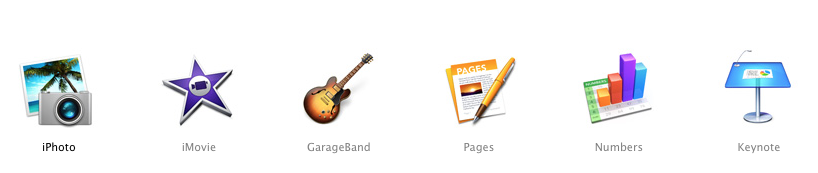
A new suite of iWork (Pages, Numbers and Keynote) and iLife (iPhoto, iMovie and Garage Band) was released on October 22nd for both Mac and iOS. The new apps are beautifully designed, hold some great new features and best of all, are available for free with every new Mac or iOS device.

Possibly the greatest addition to iWork apps is the collaboration feature which allows you to share a document with anyone and allow them to work on the document simultaneously. They don't need a Mac, an iOS device or even an iCloud ID. It works just as well with a windows through a web browser.

iLife apps include some great new features too such as 'Theatre' in iMovie and Drummer in Garage Band. If you already have iLife or iWork apps on your Mac, iPhone or iPad, you can update them for free from the App Stores. If not, they're free with with all new devices.

Apple October 22nd Event - iPads, MacBooks, Apple TV and a Surprise ?

Invitation for September 22nd event
Apple's keynote media event begins at 10 A.M Pacific Time / 1 P.M Eastern Time on October 22nd, 2013. Just a few hours away. 

If rumour is to be believed (and rumours have been reliable in the past), the event will unveil an iPad 5, a new 9.7 inch (standard-sized) iPad which will feature a design that takes after that of the iPad Mini. 

An iPad Mini 2 is also supposed to be released with retina display and new colour variants: space grey and gold. Apple may also release new smart covers, as hinted in the invitation.

A new line of Macbook Pros with Intel Haswell CPUs, 802.11ac, better battery life and other similar upgrades can be expected. This would be coherent with previous Macbook Air upgrades. A Haswell Mac Mini upgrade might also be seen although there's little news on that front.

OS X Mavericks, which was announced in June, will likely be talked about in a little more detail and a release date for it announced. A Mac Pro upgrade, which has been due since 2010, is also likely although technically that could happen anytime before December 21st. Even so, we can expect some more details on the Mac Pro to be clarified today.

Download Our App: Decisions!

Our iPhone and iPad App 'Decisions!' is now available on the App Store for free download.


Ever faced a tough decision? Looking for a die to throw? Or perhaps a coin to toss? Or maybe you just need a lottery number.

Decisions! is an app that can be used as a die, a coin, a random number generator and much more. Can't decide which color to pick? Use Decisions! Can't decide what to do when you're bored? Use Decisions! Can't pick between answer choices? Use Decisions! What to eat, what to drink, how much to rate a movie out of 5, whether to agree or disagree, which pet to get, which country to visit? For every choice, you can use Decisions! Your creativity is the limit.

Features:

Bright, Beautiful and Intuitive design.
Doubles as a coin, a die, a number picker and much more.
Helps you with day to day decisions (What to eat/ drink ? What to do ? Which answer to pick: A,B,C or D?)
iPhone 5 and iPad optimized.
Universal App.
Completely Free
No Ads


Decisions! Screenshot


iOS 7 Screenshot Gallery (65+ Photos and Counting)


As you may already know, iOS 7, the latest major upgrade to the iOS operating system was announced last week at the WWDC 2013 keynote along with the Mac OS X Mavericks (10.9), the new Mac Pro, iWork for iCloud and a new Macbook Air lineup.

iOS 7 is, as Apple says, the biggest change to iOS since the iPhone. And rightly so. Everything about the operating system has been completely redesigned, removing all instances of skeuomorphism (elements of the OS which attempted to depict real life elements) such as the yellow legal pad design of the inbuilt Notes app, etc) 

Following its usual pattern, Apple has, unfortunately, not been made iOS 7 available to the public as yet, but only to Apple developers for beta testing to find and fix bugs that may be present in the OS.

As of right now, the developer beta version is only for iPhone, not iPad.

Here is a massive collection of iOS 7 screenshots on an iPhone 5, showing the new designs of various applications and the finer aspects of the OS.

iPhone Guide Series: Camera

Click to enlarge


As part of a new iPhone Guide series I plan to start, I've uploaded a quick start guide to using the iPhone camera. You can view it as an image below, or download the PDF from: http://goo.gl/iitV3

Click on the image to enlarge

Play with this iOS 7 Mockup before WWDC

Click to enlarge

With WWDC '13 just round the corner, rumours, mockups and supposedly 'leaked photos' of the newly redesigned iOS are floating around the web a dime a dozen. One particularly interesting one is the interactive html mockup that works on any web browser, mobile or otherwise. You can use it, play around with it and see mockups of most of the applications. I was particularly impressed by the mockup of notification centre, mail, messages and reminders. You can see and play around with the mockup yourself at: http://recombu.com/mobile/interactive/iphone-5s-ios7-concept/

iOS 7 Concept Video by SimplyZesty

In anticipation of the much awaited redesigned iOS 7, SimplyZesty has created a concept video of what iOS 7 may look like based on the information gathered from the more reliable rumours.


Apple's Keynote Event (September 12th 2012) - Video


Apple's iPhone 5 launch held a great store of surprises right from the details of the iPhone 5 to the launch of the new iPod lineup. You can watch the actual keynote event here: http://www.apple.com/apple-events/september-2012/

What's in iOS 6 ? (WWDC '12)

As announced in the WWDC yesterday, iOS 6 has officially been launched as Apple's newest upgrade to their famous platform. Apple also announced and discussed several of the key features that have been integrated into the OS. Here they are:

Apple Maps 

Apple has incorporated several essential features into it's Maps application including turn by turn navigation (right), 3D Mapping (center) and Traffic data (not shown)

Through "a coordinated worldwide effort", Apple has set up its own Maps application, getting rid of Google's Maps application which was previously the standard on iOS. Apple's maps application sounds thoroughly promising with turn by turn navigation, Siri-integration, alternative routes, 3D Mapping, anonymous, real time traffic, etc. Read the full article.

Siri 

Siri, after being heavily beefed up, has made it's way to the iPad too with Rotten Tomatoes, Open Tablem, Sports Information and Yelp integrated.

The new and improved Siri has now made its way to iPad. With yelp and open table integration, Siri is better than ever and it's now on the iPad 2 and also on The New iPad. Another great addition to Siri (For iPhone and iPad) is the new "Eyes-Free" capability. Essentially this is just a 'Siri button' on the Steering Wheel of car manufactured by several major car companies that plan to add it within 12 months. Car manufacturers include BMW, GM, Audi, Land Rover, Jaguar, Toyota, Honda and Mercedes.


Siri has also been beefed up with its integration with Yelp, OpenTable, RottenTomatoes and Sports information. It can now also launch applications and post to Facebook. Lastly, Siri's finally gone international!


Passbook 

Passbook scans and organizes your Gift Cards, Admission Tickets, Boarding Passes.

A new stock application in iOS 6 which allows you to scan your gift cards, admission tickets, boarding passes and more onto your iPhone and then simply whip out your iPhone whenever you need them. Several major flight companies are apparently agreeing to this. Passbook also seems to be very efficient considering that it alerts you (push notification) to things such as a gate or terminal change. Also it appears to group multiple tickets together. So if you're boarding a train with two other people you needn't search your iPhone for all of your tickets, merely for one.

iPhone: Do Not Disturb

Reply with a text, Get reminded, Switch on do not disturb mode and screen your calls. It couldn't get any better

Everyone's been in a situation where they can't answer someone's call but can't simply hang up either for fear of offending the person. For such situations, Apple has provided a solution. There's now a new option on the incoming call to swipe up and you have the option of:

  • Sending a preset text message such as "Can't talk right now... I'll call you later" or type a custom one.
  • You can tell your iPhone to remind you to call the person back - in one hours, when you leave, when you get home or when you get to work.
If all else fails and you need a solution, simply go to your settings and enable "Do Not Disturb". Calls and Text Message will still be received but they won't light up your phone and neither will they make it ring or vibrate.
Another great addition to this is that you can screen your calls. So important calls such as from your boss will still come through but the more trivial ones will not. Also you'll have the ability to allow a call to come through it the person has called more than twice in three minutes. Apple couldn't have made this any better.

Facebook Integration

Facebook has been integrated throughout the OS adding some amazing functionality too.

Just as Twitter was last year, Facebook has been integrated into iOS this year. Facebook - Integration on iOS 6 allows you to do everything you can with twitter-integration: Post updates, Share links, photos, emails, notes, etc. But it also includes some amazing new features such as: Contact and Calendar integration (Including contact info, pictures, email and birthday alerts) and also the ability to 'like' (Facebook like) Apps and Songs on the App Store and iTunes Store. You can even see which apps and songs your friends have liked.


Accessibility
Accessibility and Guided Access will greatly help the the disabled

After a lot of heartwarming stories of how the iPad has helped the disabled, Apple revealed their new Guided Access feature for iOS 6 which allows better access for the disabled. Parents of autistic children who have been greatly helped by the advent of the iPad can now disable certain inputs such as hardware buttons so that the child doesn't accidentally exit the application.

Other Features


Of the '200+' new features on iOS 6, here are some others that we currently know of:

  • Safari gets upgraded with iCloud tabs, offline reading list and full-screen landscape view.
  • The Stores get a makeover to bring 'a new kind of shopping experience'
  • Mail too has a few new features such as VIP contacts (important) and the ability to add photos and videos to an email straight from the app.
  • Find my iPhone and Find my Friends have too been upgraded presumably with Apple Maps.
  • The iPad seems to have gained a clock application but so far, no Weather' or 'Stocks' applications on iPad.
  • FaceTime now works over cellular. (Pretty cool)
  • Shared Photo Stream - You can now share your photo stream with whoever you choose, over the cloud.
The Shortcomings

I've already listed most of the shortcomings of the WWDC 2012 but one of the major disappointments in relation to iOS 6 is it's incompatibility with the original iPad. Original iPad owners are now forced to make a choice: Buy "The New iPad" or stick with iOS 5.

Overall

Summing up, the WWDC '12 had some major announcements for Mac and iOS Users as well as for Prospective buyers. iOS 6 was a major part of the event, and aside from the obvious disappointments, it seems to be quite promising.


Subscribe to receive posts by email

WWDC '12: The Shortcoming and the Disappointments


Apple's WWDC '12 Presentation just got over a few minutes back and although there was a great deal announced, which was, for the most part, very impressive, Apple still left a lot to be asked for.
  • Despite what rumors suggested, the entire Mac lineup did NOT get an upgrade. The notebook lineup, however, got a significant improvement as well as a new member: The Next-Generation Macbook Pro: 15.4 Inch, Retina Display)
  • iOS 6, albeit amazing, will NOT be supported on: The Original iPad, iPhone 3G or below, iPod Touch 3rd Generation or Below; Heartbreaking for owners of said devices but potentially very lucrative for Apple.
  • Mountain Lion starts shipping in July, not before that. Not a free update either. However, it's still cheaper than Lion's update was.
  • iOS 6 will not release till fall and only added one new application.
  • No Apple TV SDK as opposed to rumors which were widely thought to be confirmed.
  • No Siri on Mountain Lion, although Dictation was there
  • Mountain Lion's Unified Safari Bar didn't make it to iOS 6.
  • No new iTunes interface on Mac. Really need that!
  • Nothing groundbreaking. Nothing Apple.
Apparently, not everyone's since the original iPad doesn't get support for iOS 6

iOS 6 Rumors: The Confirmed, The Possible and The Unlikely


With the much-anticipated WWDC 2012 (Worldwide Developer's Conference) right around the corner (11th June to 15th June), everyone has high hopes for the future of iOS, the release of OS X Mountain Lion, the new Mac lineup, the next generation iPhone and the new Apple TV OS. This article is a roundup of all the rumors related to the launch of iOS 6.
Given Apple's past release schedule of iOS, it's hardly surprising that the computer giant is expected to come out with their latest version of iOS: iOS 6 (not to mention the myriad rumors floating around)
So what's expected in iOS 6 ? I once wrote about the hopes and expectations we all have of the next version of iOS, but that was far before any concrete evidence came up. 

Apple Maps

Goodbye Google Maps. Hello Apple Maps ?
Recent reports and rumors, (largely from 9to5mac) have suggested that Apple plans to incorporate in iOS 6 their very own Maps application with 3D mapping and possibly better satellite navigation features. While nothing about this is set in stone, it's widely know that Apple's recent acquisition of the mapping companies C3, Placebase and Poly9 is linked to their launch of the new Maps application for iOS 6. Rumor has it that Apple may also include the ability to download maps for offline navigation into its new Maps application.

Chances of inclusion: Almost definite.

What we can hope for: At this point, we're quite clueless about what Apple actually has planned for the application, so anything I say will be nothing but a stab in the dark.

Siri on iPad

Reports from 9to5Mac suggest that Siri on iPad will have complete functionality similar to its iPhone counterpart. (See 9to5Mac's mockup above)

Another sure shot feature of iOS 6 is the inclusion of Siri into the iPad. Previously, The New iPad (third generation) saw Voice Dictation, an omnipresent feature of its touchscreen keyboard, yet that came nowhere close to reaching anywhere close to achieving the level of efficiency or functionality that Siri already has. However, we expect this to change with iOS 6. Recent reports say that Siri will almost certainly be included in the iPad, with most the same features as its iPhone counterpart aside from the obvious phone call commands.

Chances of inclusion: Almost definite.

What we can hope for: That Siri (and iOS 6) be compatible with all iPads including the "antiquated" first generation iPad.

Facebook Integration

Based on ubiquitous reports all reporting with unanimity about the likelihood of Facebook being integrated into iOS much the same way as Twitter was in the previous major release (iOS 5)

Chances of inclusion: Almost definite.

What we can hope for: That Facebook Integration be a little bit more functional than its Twitter counterpart. 

OS X-ification

The release of OS X Mountain Lion (downloadable next week) was widely based on the idea of iOS-ification. In other words, Apple brought many of the most popular features of iOS to OS X Mountain Lion, including Notes, Reminders and Messages (iMessages).
OS X-ification (not the official term) is a highly anticipated and probable part of the new iOS 6 and will likely include Safari's new unified bar, a (slight) change in design and possible incorporation of several other attributes of OS X into iOS.

Chances of inclusion: Reasonable

What we can hope for: That iOS takes some new design features from OS X and Safari's unified Search and URL Bar.

Design and Appearance

Although it may take some aspects of its possible new design from OS X, iOS 6 is widely rumored to have some completely new design traits which may include a redesign of its Stores (iBookstore, iTunes Store and App Store). 

Chances of inclusion: A completely novel and redesigned OS is highly unlikely.

What we can hope for: Radical changes to break free of the monotony of iOS which has had, but slight changes since its original launch in 2007.

User Accounts on iPad

A feature that's been on my wish list since the launch of the iPad, User Accounts would be an extremely convenient as well as useful feature, especially on a Tablet like the iPad which is marketed as a Family device yet has a one-time Mail login system; a device which is typically designed for a single person's use yet has a design and functionality that encourages several users.

Chances of inclusion: Uncertain.

What we can hope for: That multiple user accounts with option for a Guest Account and Quick Account Switching.

iPad vs iPhone: What to Choose and Why ?


Aside from "iPad or Macbook ?" and "Which Mac should I buy ?" ( I posted this quite a while back so its a little outdated, but the overall suggestion remains the same )", I'd say this is definitely the most common question I've been asked - "iPad or iPhone ?". Of course, its always a matter of personal opinion and generally also tends to be based on need and desire. I myself faced this same dilemma a year ago. ( Back then, it was the iPad and the iPhone 4 ) In fact, chances of me getting an iPhone were fairly slim but of course, that just made me want it more.


But then I started to look up the iPad. What started out as an unwilling act of sheet boredom turned into a burning desire for the device. Suddenly, the iPhone seemed like a distant second choice. Of course, it goes without saying, that if you look up any device on Apple's website for even a short period of time, you'll eventually fall in love with it. Getting back on topic though, 


The iPad - its more like a portable, beautifully designed, high quality Computer.  A computer that you can simply touch and use for everything possibly. Of course, if you're in the market for a phone, then you probably shouldn't even be reading this article. But in my humble opinion, the main additional feature you'll be getting in an iPhone is the ability to make calls. let me just state some advantages and disadvantages of both over each other to illuminate my point, which I stated quite clearly in the title.


The iPhone

Advantages

1. Of course, it would be the ability to make calls and send messages ( you can do the latter in the iPad too. To an extent, that is )
2. A better camera with flash ( 8 Megapixels )
3. Its always in your pocket ( More portable )

Disadvantages

1. Smaller screen makes using apps, surfing the web, playing games an arduous activity.
2. Contract required. Non-contract iPhone to come out soon but its price is estimated to start at $650 which is more than an iPad.


The iPad

Advantages

1. Larger screen area makes using applications and browsing the web a pleasure.
2. Better resolution ( 1024x768 )
3. Games and other applications are available in HD
4. Full-Size keyboard is easier for typing
5. Better word-processing
6. Native applications are better on iPad ( such as mail, contacts, calendar )
7. Applications designed for iPad generally have more viewing options and often panes on the side which make navigation a breeze.
8. Compatible with all iPhone apps and 140,000+ apps designed specifically for iPad ( total of 500,000+ )
9. Can access most websites in their desktop state flawlessly.
10. Contract-free 3G availability ( pre-paid )
11. More storage space ( Upto 64GB )
12. iBooks on iPad is exponentially superior to the one on iPhone.
13. Better battery life
14. Most of the other points are just extensions and instances of the first so I'll skip to the disadvantages for the anti-iPad people reading this.


Disadvantages

1. Less portable. ( Still fairly portable )
2. Can send messages only to other iPhone, iPad or iPod Touch users.
3. Fingerprint magnet. You'll end up cleaning the screen ten times in the day